
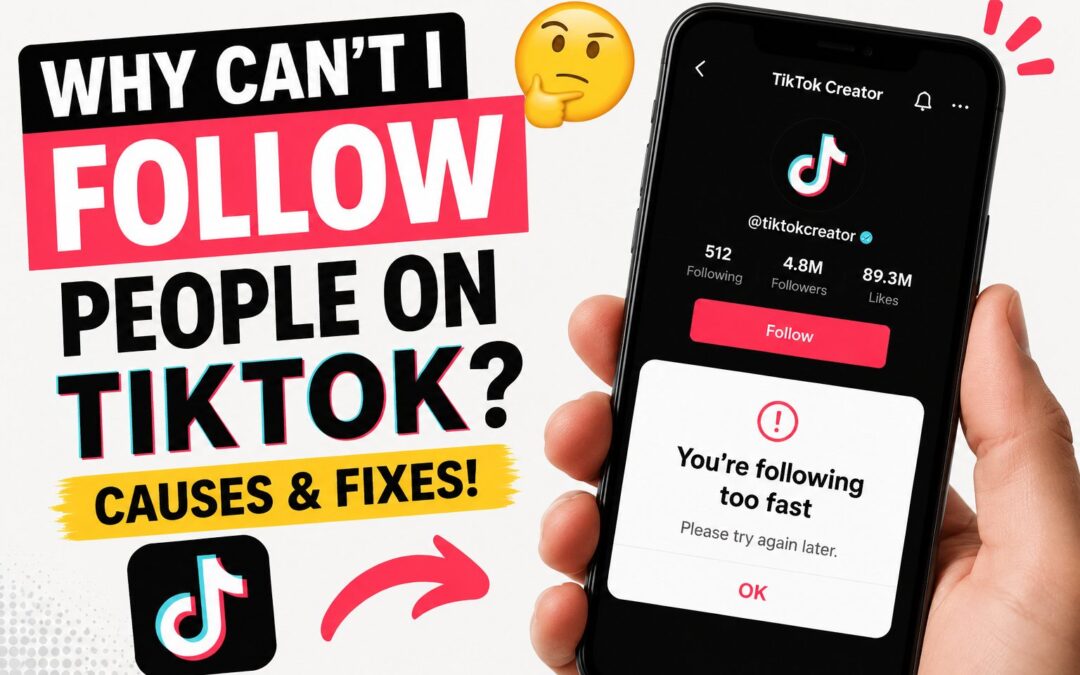
You find an interesting creator, tap the Follow button, and expect their account to appear in your following list. Instead, the button changes back, nothing happens, or TikTok displays a message such as “You’re following too fast.”
This can be confusing, especially when your account appears to work normally in every other way.
So, why can’t I follow people on TikTok?
The most common reason is that TikTok has temporarily limited your account because you followed too many people in a short period. However, the problem can also come from an unstable internet connection, outdated app data, account restrictions, privacy settings, or an issue affecting one specific profile.
This guide explains the possible causes and shows you how to fix the TikTok following problem safely.
Why Can’t I Follow People on TikTok?
You may be unable to follow someone on TikTok for one of the following reasons:
- You followed too many accounts too quickly.
- TikTok temporarily restricted your account.
- Your internet connection is unstable.
- The TikTok app is outdated.
- Corrupted cache data is affecting the app.
- The other user blocked you.
- The account was deleted, suspended, or deactivated.
- TikTok is experiencing a temporary technical problem.
- Your account activity appears automated or spam-like.
- You have reached a platform-imposed following restriction.
The correct solution depends on whether you cannot follow anyone or only cannot follow one particular person.
If the issue affects every profile, it is probably connected to your account, app, device, or network. If it happens with only one profile, the other account may be private, unavailable, or blocking you.
1. You Are Following People Too Fast
Following too many accounts within a short period is the most common reason TikTok prevents users from following more people.
TikTok monitors activities such as following, liking, and commenting to identify possible spam or automated behavior. Rapidly following dozens of accounts can resemble the behavior of a bot, even when you are performing each action manually.
TikTok officially explains that a “following too fast” message may appear when someone follows many accounts very quickly. To prevent spam, TikTok may temporarily disable the account for approximately 24 hours.
You may notice that:
- The Follow button immediately changes back.
- New accounts do not appear in your following list.
- TikTok displays a “following too fast” warning.
- You can watch videos but cannot follow creators.
- The restriction begins after a period of rapid activity.
How to fix it
Stop following accounts for at least 24 hours. During this period, avoid repeatedly tapping the Follow button because continuing the activity may make the behavior look even more suspicious.
You should also avoid mass liking, commenting, following, and unfollowing while the restriction is active. Use TikTok normally by watching videos and interacting at a natural pace.
In many cases, the following feature returns automatically after the temporary restriction expires.
2. TikTok Has Temporarily Restricted Your Account
A temporary restriction can occur even when TikTok does not show the “following too fast” message.
The platform may limit certain activities when its system detects unusual patterns, including:
- Following many accounts one after another
- Frequently following and unfollowing the same users
- Using automated growth tools
- Logging in from several unfamiliar devices
- Performing repeated actions within seconds
- Connecting unauthorized third-party services
- Receiving account or content violations
These restrictions help TikTok reduce fake engagement, spam accounts, and manipulated follower growth.
What you should do
Pause all aggressive activity for 24 to 48 hours. Do not use any app or website that promises automatic followers, profile visits, likes, or engagement.
You should also change your password if you previously connected your TikTok account to an unfamiliar service. Changing the password can help remove unauthorized access and protect the account from further automated activity.
3. There Is a Problem With Your Internet Connection
TikTok needs a stable connection to save account changes. When your connection drops while you tap Follow, the app may briefly show that you followed someone before changing the button back.
Other signs of a connection problem include:
- Videos stop loading.
- Profile pictures appear slowly.
- Comments fail to publish.
- Messages remain unsent.
- The app shows a network error.
- Search results do not load correctly.
How to test your connection
Switch between Wi-Fi and mobile data, then try following a trusted public account again.
You can also:
- Turn airplane mode on.
- Wait approximately 10 seconds.
- Turn airplane mode off.
- Reopen TikTok.
- Try following one account.
Restarting your router may help when the issue occurs only while connected to Wi-Fi.
Avoid testing the Follow button repeatedly. One or two attempts are enough to determine whether the connection was responsible.
4. Your TikTok App Needs to Be Updated
An outdated version of TikTok may contain bugs that interfere with account actions. TikTok regularly releases updates to improve performance, security, and compatibility with newer phone operating systems.
Open the Apple App Store or Google Play Store and search for TikTok. Install the latest update when one is available.
After updating:
- Close TikTok completely.
- Restart your phone.
- Open TikTok.
- Visit a public profile.
- Tap Follow once.
Updating is particularly important when the problem began after your phone received an operating system update.
5. TikTok’s Cache Data Is Causing the Problem
TikTok stores temporary data to help videos, profiles, and app pages load faster. Over time, cached files can become outdated or corrupted.
A cache problem may cause buttons to stop responding, pages to display old information, or newly followed accounts to disappear.
TikTok’s official troubleshooting guidance recommends restarting the app and device, checking the internet connection, installing the latest versions, and clearing the app cache when features are not working correctly.
How to clear the TikTok cache
- Open TikTok.
- Tap Profile.
- Tap the menu icon in the upper-right corner.
- Select Settings and privacy.
- Find Free up space.
- Tap Clear beside Cache.
- Close and reopen the app.
Clearing the cache should not delete your account or published videos. However, saved temporary files may need to load again.
6. The Person Has Blocked You
When you cannot follow one specific person but can follow everyone else, the user may have blocked your account.
Depending on the situation, you may be unable to:
- Find their account through search
- View their posts
- Follow their profile
- Send them messages
- See their comments or interactions
TikTok provides users with the ability to block other accounts, preventing interaction between the blocked user and the account that created the block.
There is no legitimate method for bypassing another person’s block. Respect the user’s privacy and do not create additional accounts to contact or follow them.
It is also possible that they changed their username, made their account unavailable, or deleted the profile. Therefore, an unavailable account does not always mean you were blocked.
7. The Account Is Private
You can send a follow request to a private TikTok account, but the person must approve it before you become a follower.
After tapping Follow, you may see Requested instead of Following. This means your request was sent successfully but is still waiting for approval.
The account owner may:
- Approve your request
- Ignore the request
- Delete the request
- Block your account
- Keep the request pending
TikTok states that people using private accounts control who can follow them and view their posts and profile activity.
Do not repeatedly cancel and resend the request. Doing so may appear spammy and may encourage the account owner to reject or block you.
8. The Account Was Deleted, Suspended, or Deactivated
Sometimes the issue has nothing to do with your own TikTok account. The profile you are trying to follow may no longer be active.
An account may become unavailable because:
- The creator deleted it.
- The creator temporarily deactivated it.
- TikTok suspended or banned it.
- The username was changed.
- The profile is under review.
- The account is unavailable in your region.
Try visiting the profile later. You can also search for the creator’s exact username to determine whether the account name changed.
If you can follow other people normally, you probably do not need to change your app settings.
9. Your Account May Have a Warning or Violation
TikTok can restrict account features after content or behavior violates its rules. Depending on the issue, restrictions may affect posting, commenting, messaging, profile editing, visibility, or access to other features.
TikTok allows users to check their account standing through TikTok Studio or the Safety Center. The account-check area displays a checkmark when no issue is detected and a warning symbol when a problem is present.
How to check your TikTok account status
Using TikTok Studio:
- Open TikTok.
- Tap Profile.
- Tap the menu button.
- Select TikTok Studio.
- Open More tools.
- Tap Account check.
Using the Safety Center:
- Go to your TikTok profile.
- Open Settings and privacy.
- Tap Support.
- Select Safety Center.
- Tap Account check.
Review any warnings or notifications carefully. Follow the available appeal process when you believe TikTok made a mistake.
10. A Third-Party App Is Interfering With Your Account
Follower generators, engagement exchanges, automated follow tools, browser extensions, and unofficial TikTok apps can trigger security restrictions.
These services often ask users to:
- Enter their TikTok password
- Connect their account
- Follow random profiles
- Complete automated actions
- Exchange follows with other users
- Install unknown software
Even when a service appears to work, it may cause TikTok to identify your account as automated or compromised.
How to protect your account
Remove access to unfamiliar third-party apps and change your TikTok password. Enable two-step verification and review the devices currently logged into your account.
Avoid services that promise instant followers. Organic growth may take longer, but it protects your account and produces a more valuable audience.
Growing engagement on any platform works best when it comes from useful content and real interactions. For additional ideas, read this guide on how to increase engagement on Instagram. Many of its content and community-building principles can also support a healthier TikTok strategy.
11. TikTok May Be Experiencing a Temporary Error
TikTok occasionally experiences technical problems that affect profile actions, video uploads, comments, messages, or feeds.
A temporary platform error is more likely when:
- The issue starts suddenly.
- Several TikTok features fail together.
- The problem affects multiple devices.
- Other users report the same behavior.
- Reinstalling the app does not help.
Wait for a while before changing important account settings. Technical issues are often resolved without any action from the user.
You can test TikTok on another device or through a browser. If the web version works but the mobile app does not, the problem is probably connected to the app or device.
How to Fix TikTok Not Letting You Follow Anyone
Use the following steps in order:
Step 1: Stop following accounts
Wait at least 24 hours when you recently followed many people. Do not keep testing the button every few minutes.
Step 2: Restart TikTok
Close the app completely instead of leaving it open in the background. Reopen it and test one public account.
Step 3: Restart your phone
A restart clears temporary system processes that may prevent TikTok from working correctly.
Step 4: Check your connection
Switch between Wi-Fi and mobile data. Avoid public networks that may have unstable connections or restrictions.
Step 5: Update TikTok
Install the latest version from your phone’s official app store.
Step 6: Clear the cache
Use TikTok’s Free up space settings to remove temporary cached files.
Step 7: Review account status
Check TikTok Studio or the Safety Center for warnings, violations, or restricted features.
Step 8: Remove third-party tools
Disconnect follower generators, automation services, unofficial extensions, and modified TikTok apps.
Step 9: Change your password
This is especially important if you shared your password with another service or noticed unfamiliar activity.
Step 10: Report the problem
When the problem continues after 48 hours, submit a support request:
- Open TikTok.
- Go to Profile.
- Open Settings and privacy.
- Tap Report a problem.
- Select the category related to followers or profiles.
- Follow the instructions.
- Include a screenshot of the error when possible.
Explain when the issue started, whether it affects every account, and which troubleshooting steps you have already completed.
How to Avoid Future Following Restrictions
You can reduce the chance of another restriction by using TikTok naturally.
Avoid following large groups of people within a few minutes. Follow creators because you genuinely want to see their content, not simply because you expect them to follow you back.
You should also avoid:
- Mass-following users from comment sections
- Following and unfollowing people repeatedly
- Purchasing followers
- Using follow-for-follow software
- Allowing another person to operate your account aggressively
- Running multiple automation tools
- Repeatedly tapping Follow during an error
TikTok does not publicly provide a guaranteed safe number of follows per hour or per day. Because account history and behavior patterns may differ, there is no universal number that guarantees you will avoid restrictions.
The safest method is to spread your activity throughout the day and interact with accounts in a normal, meaningful way.
Does TikTok Have a Follow Limit?
TikTok uses restrictions to prevent excessive or automated following, but users should be careful with websites that claim to know an exact guaranteed daily limit.
TikTok’s official help information confirms that following many accounts too quickly can lead to a temporary 24-hour restriction. However, it does not provide a fixed public number that is safe for every account.
New accounts may be more likely to trigger security systems when they immediately begin following large numbers of users. Build activity gradually by completing your profile, watching content, posting normally, and interacting with relevant creators.
Frequently Asked Questions
Why does TikTok unfollow someone immediately after I follow them?
This usually happens because of a temporary action restriction, unstable connection, app cache problem, or unavailable account. Stop following users for 24 hours, restart the app, and clear the cache.
How long does TikTok stop you from following people?
TikTok says a “following too fast” restriction may disable an account for approximately 24 hours. Some issues can last longer depending on account activity or violations.
Why can I follow some people but not one specific person?
The account may be private, deactivated, suspended, deleted, or blocking you. It may also have changed its username.
Will reinstalling TikTok fix the following problem?
Reinstalling can help when damaged app files are responsible. Try restarting the app, updating it, and clearing the cache before reinstalling.
Am I shadowbanned if I cannot follow people?
Not necessarily. Being unable to follow users is more commonly associated with an action restriction or technical issue. The problem alone does not prove that your account has received a visibility restriction.
Should I create a new TikTok account?
Creating a new account is rarely necessary. First, wait for temporary restrictions to expire, secure your account, clear the cache, review your account status, and contact TikTok support.
Final Thoughts
When asking, “Why can’t I follow people on TikTok?”, begin by considering your recent activity.
If you followed many users quickly, stop following accounts and wait at least 24 hours. If your activity was normal, check your internet connection, update TikTok, clear the cache, restart your phone, and review your account status.
When the problem affects only one person, their account may be private, unavailable, or blocking you. When it affects every profile for more than 48 hours, report the issue to TikTok with a screenshot and a clear description.
Most TikTok following problems are temporary. Using the platform naturally, avoiding automation tools, and spreading out your interactions can help prevent the issue from returning.